Chrome Extension · Tools
Mahesh'sDeslopifier
No more AI Overviews. No more AI Mode.
Strips the AI clutter out of Google Search. Choose exactly what to hide — your normal results stay untouched.

No more AI Overviews. No more AI Mode.
Strips the AI clutter out of Google Search. Choose exactly what to hide — your normal results stay untouched.
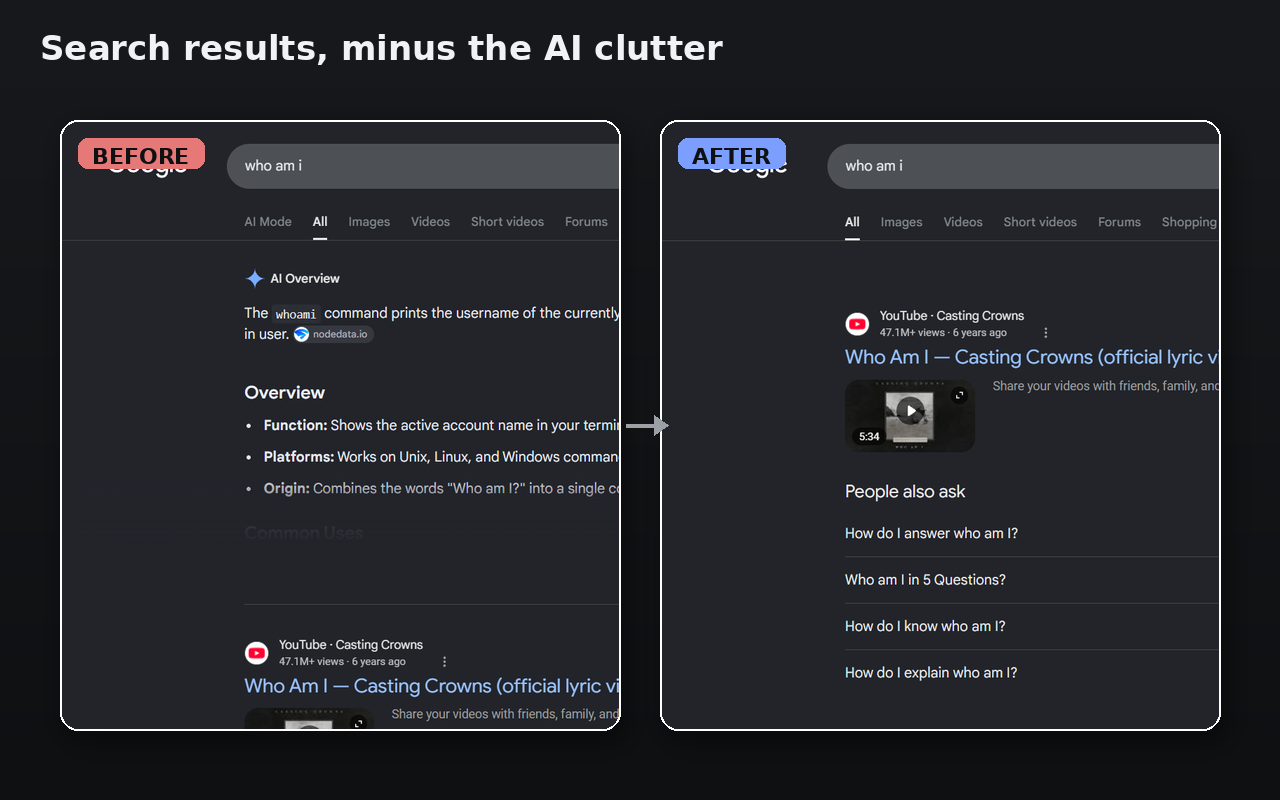
Google keeps stuffing AI Overviews and AI Mode into your search. Deslopifier quietly removes them — so you get straight to the real results.
Three switches, fully independent
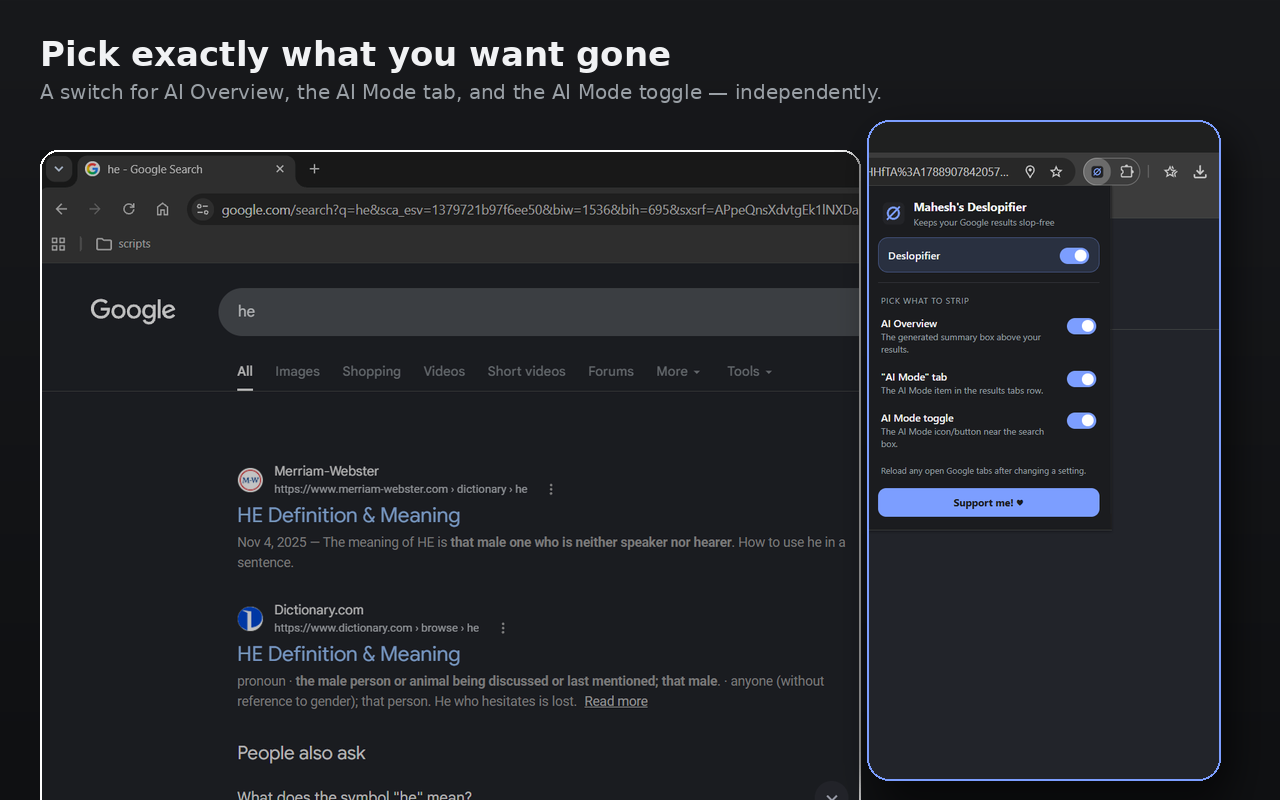
Turn each piece off on its own — kill the summary box but keep a tab, or strip the lot. Your call.
The generated summary box that sits above your results.
Toggle on / offThe AI Mode item wedged into the results tab row.
Toggle on / offThe AI Mode icon/button hugging the search box.
Toggle on / offBefore / after
One-click control
Click the toolbar icon, flip the switches you want, and you're done. A master switch turns the whole thing off in a tap. Reload any open Google tabs after changing a setting.
How it works
Add Deslopifier to Chrome — no setup, no account.
Click the toolbar icon and choose what to strip.
Reload your Google tabs and the slop is gone.
Free, lightweight, and it leaves your real results exactly where they belong.